HTC Desire Z launcher keys: ADW's Back trick and two wrong fixes
Contents
Android's documentation for KeyEvent.FLAG_CANCELED says, in one paragraph, that an app should not act on a key until the key's up event arrives, because the press can still be canceled. I learned that rule the expensive way: my launcher acted on Back too early, I went looking in someone else's launcher for the fix, found it, and only afterwards read the paragraph that had been sitting in the class I was calling all along.
The phone is an HTC Desire Z, the 2010 Android phone with a slide-out QWERTY, running CyanogenMod 7 (Android 2.3) and a home screen I wrote myself: MeshLauncher, about 22 kilobytes of APK with three swipeable screens for system stats, an app grid and toggle tiles. Part one built it. It launched apps and did nothing else. Long-press an icon: nothing. Want to uninstall something: Settings, Manage Applications, scroll, tap. This post is the session where I backported a few habits from ADWLauncher, CyanogenMod's stock launcher, and kept score of which of my fixes were aimed at the actual problem. The score is not flattering.
Long-press on an icon: App Info and Uninstall#
The first port was the obvious one. An OnItemLongClickListener on the grid opens a dialog with two entries, and each entry fires a stock system intent with a package: URI:
public boolean onItemLongClick(AdapterView<?> parent, View view, int position, long id) {
    if (filteredApps == null || position >= filteredApps.size()) return false;
    final AppInfo app = filteredApps.get(position);
    final String pkg = app.launchIntent.getComponent().getPackageName();

    String[] items = new String[]{"App Info", "Uninstall"};
    new AlertDialog.Builder(context)
        .setTitle(app.label)
        .setItems(items, new DialogInterface.OnClickListener() {
            public void onClick(DialogInterface dialog, int which) {
                if (which == 0) {
                    Intent info = new Intent(android.provider.Settings.ACTION_APPLICATION_DETAILS_SETTINGS);
                    info.setData(Uri.parse("package:" + pkg));
                    info.addFlags(Intent.FLAG_ACTIVITY_NEW_TASK);
                    context.startActivity(info);
                } else if (which == 1) {
                    Intent uninstall = new Intent(Intent.ACTION_DELETE);
                    uninstall.setData(Uri.parse("package:" + pkg));
                    uninstall.addFlags(Intent.FLAG_ACTIVITY_NEW_TASK);
                    context.startActivity(uninstall);
                }
            }
        })
        .show();
    return true;
}
ACTION_APPLICATION_DETAILS_SETTINGS arrived in API 9, one level under this phone's API 10. Long-press worked on the first try, and so did the Menu key, which opened a plain options menu: Settings, Manage Apps and About, with Running Apps added later that day. Enjoy those two sentences. They are the last ones in this post where a key does what I meant.
PAC-MAN, hidden from every launcher#
CyanogenMod 7 ships a PAC-MAN package, com.teamdouche.pacman, and it never showed up on my grid. dumpsys package explained why: its two entry activities, StartupActivity and DownloadActivity, declare MAIN and no CATEGORY_LAUNCHER, and a launcher's app query asks for exactly that category. am start opened it fine. A game that hides from every launcher on the phone and whose second screen is named after a download: I didn't wait to find out what it downloads.
archive.org had the original instead: PacMan 1.0.3.apk from the item "pacman by namco 2008", 1,215,585 bytes, package com.NamcoNetworks.international.PacMan, sdkVersion:'3', and files inside dated July 2009. Everything the game needs is in the APK. I installed it, moved the CyanogenMod package to /system/app-disabled/, and went back to the grid.
No PAC-MAN. MeshLauncher read the app list once, in onCreate, and never again. Killing the launcher process brought the game onto the grid, which is a fine workaround for exactly one person, who would rather not be doing it.
Package listener: the one fix that proved itself#
The fix is a BroadcastReceiver for the three package actions, registered in onCreate and unregistered in onDestroy:
packageReceiver = new BroadcastReceiver() {
    public void onReceive(Context ctx, Intent intent) {
        loadApps();
        workspace.getAppGrid().setApps(apps);
    }
};
IntentFilter pkgFilter = new IntentFilter();
pkgFilter.addAction(Intent.ACTION_PACKAGE_ADDED);
pkgFilter.addAction(Intent.ACTION_PACKAGE_REMOVED);
pkgFilter.addAction(Intent.ACTION_PACKAGE_CHANGED);
pkgFilter.addDataScheme("package");
registerReceiver(packageReceiver, pkgFilter);
The addDataScheme("package") line matters: package broadcasts carry a package: URI as their data, and an intent filter with no data scheme does not match an intent that has data. The next install was Opera Mini, through adb install, and it appeared on the grid with no restart, between Music and PAC-MAN. Twenty-six apps. A fix that I watched work on the phone the same afternoon is rare enough in this post to get its own heading.
Long-press Back: what ADW knew and the javadoc said#
CyanogenMod 7 has a setting, kill_app_on_longpress_back, that was already 1 in the secure settings table. Hold Back and the framework kills the foreground app. It did kill the app. Then the release of that same Back press reached my launcher, now in front, as an ordinary Back, and MeshLauncher scrolled its screens as if I had asked for that.
ADW does not have this problem, and its Launcher.java shows why, at lines 1986 to 2021 of CyanogenMod's gingerbread copy: it returns true for Back on ACTION_DOWN, which eats the press, and does its Back work on ACTION_UP only when event.isCanceled() is false. I copied the shape:
public boolean dispatchKeyEvent(KeyEvent event) {
    if (event.getAction() == KeyEvent.ACTION_DOWN) {
        boolean alt = (event.getMetaState() & KeyEvent.META_ALT_ON) != 0;
        if (alt && handleFnKey(event.getKeyCode())) {
            return true;
        }
        switch (event.getKeyCode()) {
            case KeyEvent.KEYCODE_BACK:
                return true;
            case KeyEvent.KEYCODE_HOME:
                return true;
        }
    } else if (event.getAction() == KeyEvent.ACTION_UP) {
        switch (event.getKeyCode()) {
            case KeyEvent.KEYCODE_BACK:
                if (!event.isCanceled()) {
                    if (workspace.getAppGrid().isFiltering()) {
                        workspace.getAppGrid().showFilter();
                    }
                }
                return true;
            case KeyEvent.KEYCODE_HOME:
                workspace.snapToScreen(1);
                return true;
        }
    }
    return super.dispatchKeyEvent(event);
}
The useful half is the Back half. The press is consumed when it starts, and the launcher acts only on a release, which is meant to keep a Back that began in another app from turning into a scroll. Ignore the two Home cases for now; they get their own section.
I had this down as tribal knowledge that only lived in ADW's source. It lives in the platform's own KeyEvent javadoc, on the constant behind isCanceled():
When associated with up key events, this indicates that the key press has been canceled. Typically this is used with virtual touch screen keys, where the user can slide from the virtual key area on to the display: in that case, the application will receive a canceled up event and should not perform the action normally associated with the key. Note that for this to work, the application can not perform an action for a key until it receives an up or the long press timeout has expired.
The Desire Z's Back is one of those virtual touch screen keys. Credit where due: ADW wrote the rule down in code. Android wrote it down in prose first, in the class I was already calling a method on.
One thing the copy does not settle. CyanogenMod's own long-press handler in PhoneWindowManager, the mBackLongPress runnable, calls forceStopPackage() on the foreground app and sets no cancel flag of its own, so whether the release that reaches the launcher arrives canceled depends on how the input layer treats a key whose window just died. I shipped the pattern, and I have no second long-press test from that day to show whether it stopped the scroll.
Home and Search: two fixes aimed at the wrong layer#
Those two Home cases above, and an onSearchRequested() override written the same afternoon, opened a new list for me: fixes aimed at a layer that was not the problem.
Home. Home did nothing, so I added a KEYCODE_HOME handler to dispatchKeyEvent, then the version above. Neither can ever run. The comment I opened the Home-key post with already said why: CyanogenMod 7's PhoneWindowManager handles Home itself "so applications can never break it", and interceptKeyBeforeDispatching() returns true for Home unless the lock screen has focus; its interface documents true as "the policy consumed the event and it should not be further dispatched". The app never sees the key, and ADW's identical Home cases are just as unreachable. Applications cannot fix it either, as it turned out. Home stayed dead in apps that day however I wired the launcher, a failure further down the stack with a post of its own, and it came back only after a full reflash, when Home in MeshLauncher worked without either handler's help.
Search. The Search key did nothing, so I decided the system was intercepting KEYCODE_SEARCH before my onKeyDown saw it and added an onSearchRequested() override, which the window calls when it handles Search itself. After the reflash, with the override in place, Search still did nothing in MeshLauncher, and nothing in ADW either. PhoneWindowManager does not consume a Search key-down at all; it only notes that Search is held, for shortcut chords. My working suspect is now the touch zone itself: on this phone Search is a patch of the touchscreen below the display, the rightmost of the four virtual keys. The raw-touch test that would have settled it lost its USB connection halfway through, so this entry stays open.
Two entries, both mine, both written with confidence for keys that had problems of their own below my code.
Running apps: killBackgroundProcesses kills what it says#
Menu, Running Apps lists every process at IMPORTANCE_SERVICE or more important, minus the launcher, system, SystemUI and the phone process. Tap one and the launcher calls killBackgroundProcesses() on its package; a Kill All BG button does the same, one package at a time, for everything in the background. The method's name is its whole contract: it kills background processes and leaves the foreground app alone.
The framework's long-press Back uses something stronger. CyanogenMod's android.policy.jar contains the string forceStopPackage, and the source matches: mBackLongPress calls ActivityManager.forceStopPackage(), a hidden API behind the signature permission FORCE_STOP_PACKAGES. MeshLauncher is signed with the platform key that this build trusts and runs as UID 1000, so it qualifies for that permission; I just never asked for it. The same source has a detail I like more: the long-press kill only touches processes with an application UID, so anything running under a system UID, my launcher at UID 1000 included, is out of reach of a held Back key.
Opera Mini and the TLS 1.0 ceiling#
Android 2.3 is API 10, and Android's own SSLSocket reference lists TLS 1.1 and 1.2 as supported only from API 16, so the platform speaks TLS 1.0 and SSLv3. I didn't bother pointing the stock browser at a modern site. The browser I wanted had to do its TLS somewhere else.
Opera Mini 7.6.4 does it on Opera's servers. The APK from archive.org is 1,267,493 bytes, package com.opera.mini.android, sdkVersion:'3', and it fetches pages through Opera's servers, so the phone never handshakes with the site itself. The phone speaks to Opera, Opera speaks to the site, and nobody tells the phone about the translation, which is how I would like most of my meetings to go.
After I joined the phone to Wi-Fi (the factory reset earlier that day had wiped the saved networks), it loaded this blog:
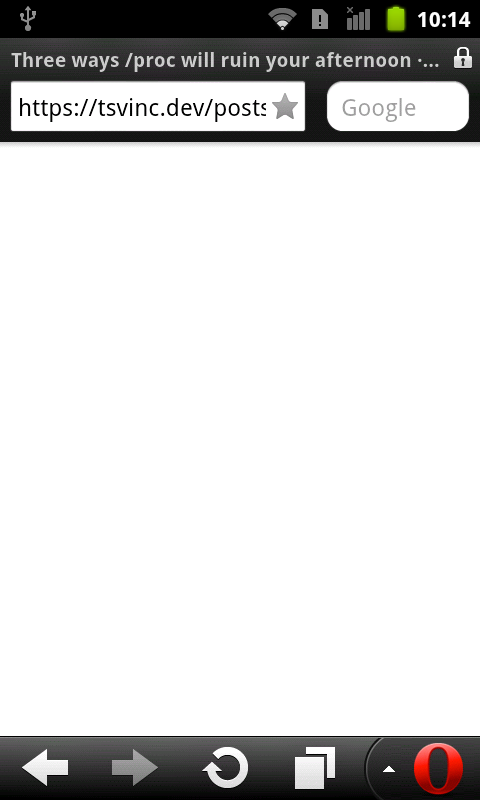
Title bar, padlock, address. The page body stayed blank white, and I didn't chase why. A later post compares the browsers that still work on Gingerbread.
25,235 bytes#
The build before this session was 22,874 bytes; the last one of the session was 25,235. Those 2,361 bytes bought a long-press menu, a Menu key with a running-apps killer, a package listener that I watched work, ADW's Back pattern, and two handlers for keys that never reached them. I'd ask for a refund on that last part, but the only vendor is me, and I know exactly how he handles complaints.
Filed under: android, java, hardware
Read next#
- The first MeshLauncher post: why a rewrite instead of trimming ADW, the two-JDK build, and the Fn-key shortcuts.
- Why Home did nothing on this phone: the system-level Home failure that every key fix above was tested against.
- AOSP test keys on CyanogenMod 7: how a platform-signed APK gets UID 1000, the reason MeshLauncher can run as system.
- Browsers that still work on Gingerbread: Opera Mini's proxy and Firefox's bundled TLS, side by side.
Sources#
- HTC Desire Z (vision), CyanogenMod 7.2.0 (Android 2.3.7): direct device testing
- ADWLauncher source, CyanogenMod repository:
Launcher.javadispatchKeyEvent, lines 1986-2021 of the copy used - CyanogenMod gingerbread
PhoneWindowManager.java:mBackLongPress(forceStopPackage, application UIDs only), Home and Search handling ininterceptKeyBeforeDispatching() - CyanogenMod gingerbread
WindowManagerPolicy.java: return value ofinterceptKeyBeforeDispatching() - CyanogenMod gingerbread
KeyEvent.java:FLAG_CANCELEDjavadoc - Android
SSLSocketreference: protocol support by API level - pacman by namco 2008: archive.org item holding
PacMan 1.0.3.apk - operaminiold: archive.org item holding Opera Mini 7.6.4